
10 Collaborative IEP Meeting Presentations to Ensure Every Voice is Heard
Ensuring Every Voice is Heard: How Editable IEP Slide Decks Transform Complex Meetings into Smooth, Collaborative Partnerships
We’ve all been there: staring at a 30-page legal document while a parent looks overwhelmed and the team struggles to stay on task. It feels like a lecture rather than a conversation, and crucial data often gets lost in the "paperwork shuffle." The Solution: This post introduces the IEP Meeting Presentation as the essential bridge to transform clinical meetings into collaborative, visual, and student-centered experiences where every stakeholder—especially the parent—is a true partner.
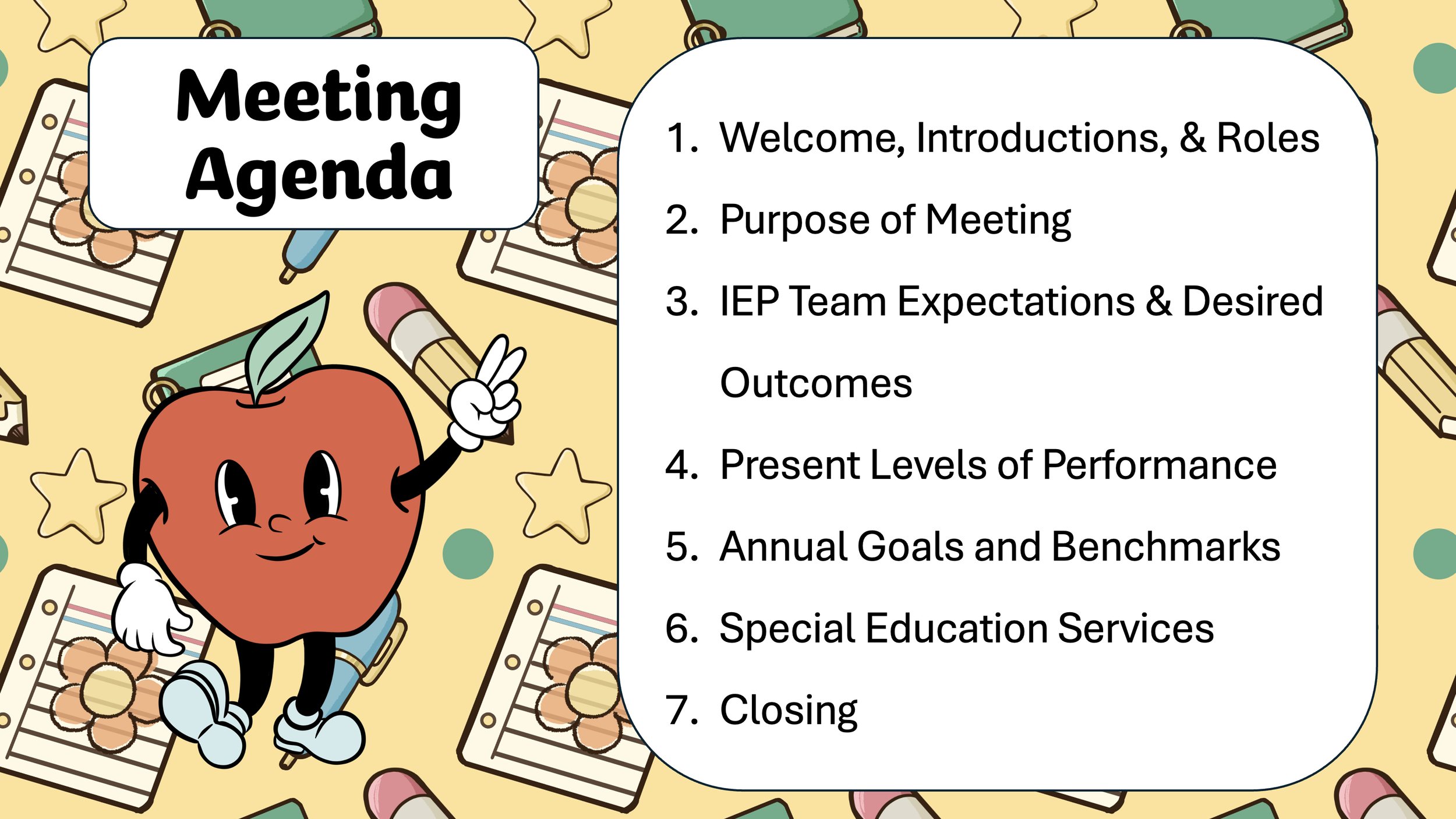
IEP Meeting Agenda
Stop Drowning in Paperwork: Your Step-by-Step Strategy for Smooth and Measurable IEP Meetings
If you’re sitting at your desk at 7:00 PM on a Tuesday, wondering how to make the next triennial re-evaluation feel human and accessible, I see you. You deserve resources that work as hard as you do to advocate for your students while keeping your sanity intact.

Top Editable IEP Presentation Templates for Meaningful Meetings
Collaborative IEP Meeting Presentation Framework – 47 Slides
The Struggle: Meetings feel disjointed and lack a clear chronological flow for parents.
The Solution: This comprehensive deck includes a 7-point agenda covering everything from "Desired Outcomes" to "Placement".
Key Skill: Meeting Facilitation & Team Leadership.
The Student-Led IEP Empowerment Framework
The Struggle: Students are often the "subject" of the meeting, but rarely have a seat at the table.
The Solution: This template provides a framework for students to present their own Strengths and Areas for Growth directly to the team.
Key Skill: Student Self-Advocacy.
The Groovy School Theme Presentation Guide
The Struggle: Clinical, "cold" presentation styles that make parents feel defensive or anxious.
The Solution: Uses a warm, approachable theme to lower the "affective filter" of the meeting while maintaining professional data standards.
Key Skill: Relationship Building & Parent Engagement.
IEP Meeting Presentation PowerPoint Template
The Struggle: Feeling uncertain about the legal "protocol" while simultaneously trying to manage a room full of stakeholders.
The Solution: This 47-slide deck acts as a visual roadmap, guiding the team through the entire IEP Meeting Process (Initial, Triennial, or Re-evaluation) with built-in professional prompts.
Key Skill: Compliance & Professional Communication.
The Editable IEP Meeting Presentation Template - Google Slides
The Struggle: Educators spending hours building slide decks from scratch for every single annual review.
The Solution: A highly customizable 39-slide framework that allows you to quickly plug in Assessment Results, Grade Reports, and Behavioral Data into pre-made visual dashboards.
Key Skill: Time Management & Visual Data Organization.
The Essential IEP Presentation Toolkit
The Struggle: Needing a "one-size-fits-all" solution that is flexible enough to handle diverse student needs, from functional life skills to high-level academic goals.
The Solution: A comprehensive Google Slides toolkit that includes dedicated sections for Other Providers' Reports (OT, PT, Speech) and side-by-side Strengths/Areas for Growth comparisons.
Key Skill: Adaptive Resource Design.
The IEP Presentation Protocol: A Collaborative Meeting Template - Google Slides
The Struggle: Meetings that lack a collaborative "rhythm," where parents feel the team has already made every decision before they arrive.
The Solution: This PowerPoint focuses on a Collaborative Meeting Protocol, featuring specific slides for Parent/Guardian Reports to ensure their voice is the foundation for determining services and accommodations.
Key Skill: Team-Based Leadership.
Student-Led IEP Meeting End-of-Year Editable Presentation Template Slides
The Struggle: By the end of the school year, IEP meetings can feel like a repetitive review of data where the student's own perspective is sidelined or overlooked.
The Solution: This template flips the narrative by allowing students to take the lead using structured Student Report prompts to share what they are best at and what they need help with. It guides the team through a comprehensive 5-step IEP Meeting Process—Review, Determine, Write, Determine, and Decide—to ensure a seamless, collaborative transition to the next school year.
Key Skill: Student Self-Advocacy & Goal Ownership.
Special Education Student-Led IEP Meeting
The Struggle: Students are frequently the "subject" of their IEP meetings but are rarely given the tools to participate actively, leading to a lack of ownership over their educational journey.
The Solution: This comprehensive framework empowers students to lead the team through the 5-step IEP Meeting Process—Review, Determine, Write, Determine, and Decide. It features dedicated Student Report slides with targeted prompts that allow students to share their academic progress, social-emotional needs, and personal goals directly with the stakeholders.
Key Skill: Self-Advocacy & Student Empowerment.
Student IEP Presentation Slides Editable Template
The Struggle: Traditional meetings often talk about students rather than with them, leaving the most important person in the room feeling like a passive observer rather than an active participant in their own educational planning.
The Solution: This customizable slide deck transforms the meeting into a student-centered event. It empowers students to share their personal perspectives using dedicated Student Report prompts (such as "What are you best at?" and "What do you need the most help with?") alongside visual data dashboards for Assessment Results and Grade Reports. The presentation follows a clear, 5-step IEP Meeting Process—Review, Determine, Write, Determine, and Decide—to keep the student-led conversation focused, compliant, and productive.
Key Skill: Student Self-Advocacy & Goal Ownership.
Outside Excellence
I also love these tools from fellow teacher-authors that complement visual IEP meeting strategies:
• Visual Schedule Icons – Perfect for the "Steps" section of your Behavior Support Plan slides.
• Data Collection Spreadsheets – These make it easy to copy and paste "Points Scored" graphs directly into your Assessment Results slides.
5 Quick Wins for Your Next IEP Meeting Presentation

Transforming your meetings doesn't require a total overhaul. Start with these five visual strategies to foster immediate parental collaboration and professional clarity.
Set the Professional Tone with Explicit Expectations: Don't just assume everyone knows the "rules" of the room. Display an IEP Team Expectations slide at the start of the meeting. This slide should explicitly list commitments, such as communicating clearly, listening carefully, respecting others' ideas, and honoring time limits to keep the meeting on task.
Make Progress Visual, Not Just Verbal: Reading a list of numbers or Lexile levels can leave parents feeling disconnected. Instead, use a visual Reading Report line graph that shows a student's growth over time compared to college and career-readiness benchmarks. Visualizing data this way makes progress measurable and easy for every stakeholder to understand at a glance.
Prioritize the Parent Voice with Guided Prompts: Ensure parents are true partners by including a dedicated Parent/Guardian Report slide early in the presentation. Use specific "conversation starters" like "What is your child best at?", "What does your child need the most help with?", and "How do you think your child is doing socially?" This signals to the family that their insight is the foundation of the meeting.
Create a Balanced Student Profile: Provide a holistic view of the student by using side-by-side slides for Strengths and Areas for Growth. Categorize these by environment—School, Home Life, and Recreation/Social—to ensure the team isn't just focusing on academic deficits but also celebrating the student's successes throughout the day.
End with an "Improvement Mindset" Debrief: Before everyone leaves the room, display a Debrief slide. Ask the team two simple but powerful questions: "What things went well during this meeting?" and "What things would we like to improve?" This builds team morale and ensures that future meetings are even more collaborative and efficient.
The Anatomy of a Comprehensive IEP Meeting Presentation
A truly effective IEP Meeting Presentation Template should guide the team through a logical, compliant, and student-centered flow. Based on the Legit Learning framework, these are the essential components:
1. Setting the Stage: The Foundation
• Welcome & Introductions: A slide to welcome the family and define the roles of every team member present.
• Meeting Agenda: A clear 7-point outline (Welcome, Purpose, Expectations, PLOP, Goals, Services, Closing) to decrease anxiety and keep the team on schedule.
• The IEP Meeting Process: A visual flowchart showing the step-by-step journey for Initials, Triennials, and Re-evaluations.
2. The Why: Present Levels & Stakeholder Feedback
• Visual Data Dashboards: Slides for Assessment Results, Grade Reports, and Behavioral Data using bar graphs and pie charts to visualize performance.
• Stakeholder Reports: Specific, dedicated slides for both Parent/Guardian and Student Reports to ensure their perspectives are documented.
• Holistic Student Profile: Detailed breakdowns of Strengths and Areas for Growth across all academic and social domains.
3. The How: Goals, Services, & Supports
• Annual Goals Framework: Organized slides for Academic, Functional, and Transition goals, including specific sections for Speech, OT, and Adapted PE.
• Behavior Support Plan (BSP): A visual map connecting the Goal to specific Steps and identified Reinforcers.
• Accommodation Summaries: Clear slides detailing Testing, Classroom, and Assignment Accommodations to ensure all service providers are on the same page.
4. The Where: Placement & Conclusion
• Placement Flowchart: A visual representation of the Least Restrictive Environment (LRE) continuum, ranging from General Education to Residential placement.
• Services Summary: A high-level overview of the final determined Special Education Program and Services.
• Meeting Wrap-Up: A Debrief slide and a "Thank You" closing slide with contact information for follow-up.
Bottom Line
By moving your meetings to a visual slide deck, you ensure that every goal is measurable. Every team member stays focused on the student's success. If you want to save even more time and run the smoothest meetings of your career, Shop All of the IEP Meeting Presentation Templates from Legit Learning to find the perfect template for your classroom!
Found this post helpful? Share this article with other educators! If you liked this post, pin it to Pinterest! 👇

IEP Meeting Presentations - 10 Collaborative IEP Meeting Presentation Templates